MicroMETER
Every pin, every function, proven healthy — from any browser. MicroMETER is the bench companion that tells you whether the board is the problem, before you spend an evening proving the code isn’t.
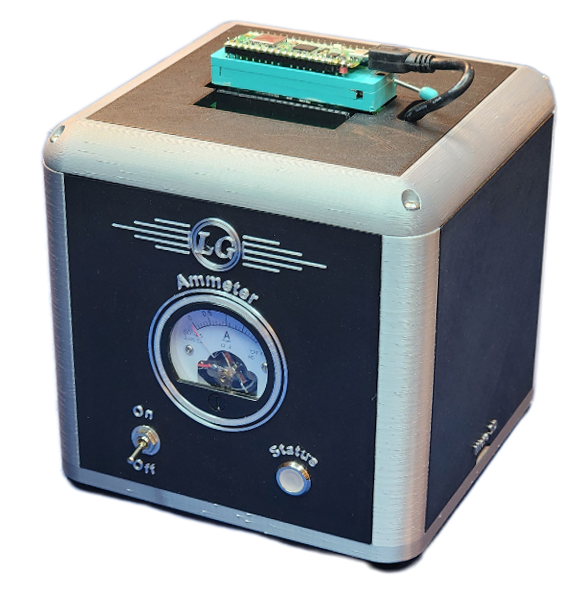
One base. Many plynths.
A MicroMETER is two pieces. The base unit houses the instrument itself — the controller and FPGA-backed measurement board, power switch, status light, and a simple barrel-jack power connector. On top of the base sits a swappable fixture called a plynth, shaped to receive one specific microcontroller family. Seat your board on its plynth, and every pin is landed on the instrument — no jumper leads, no probe clips, no miswired harness at 11 pm.
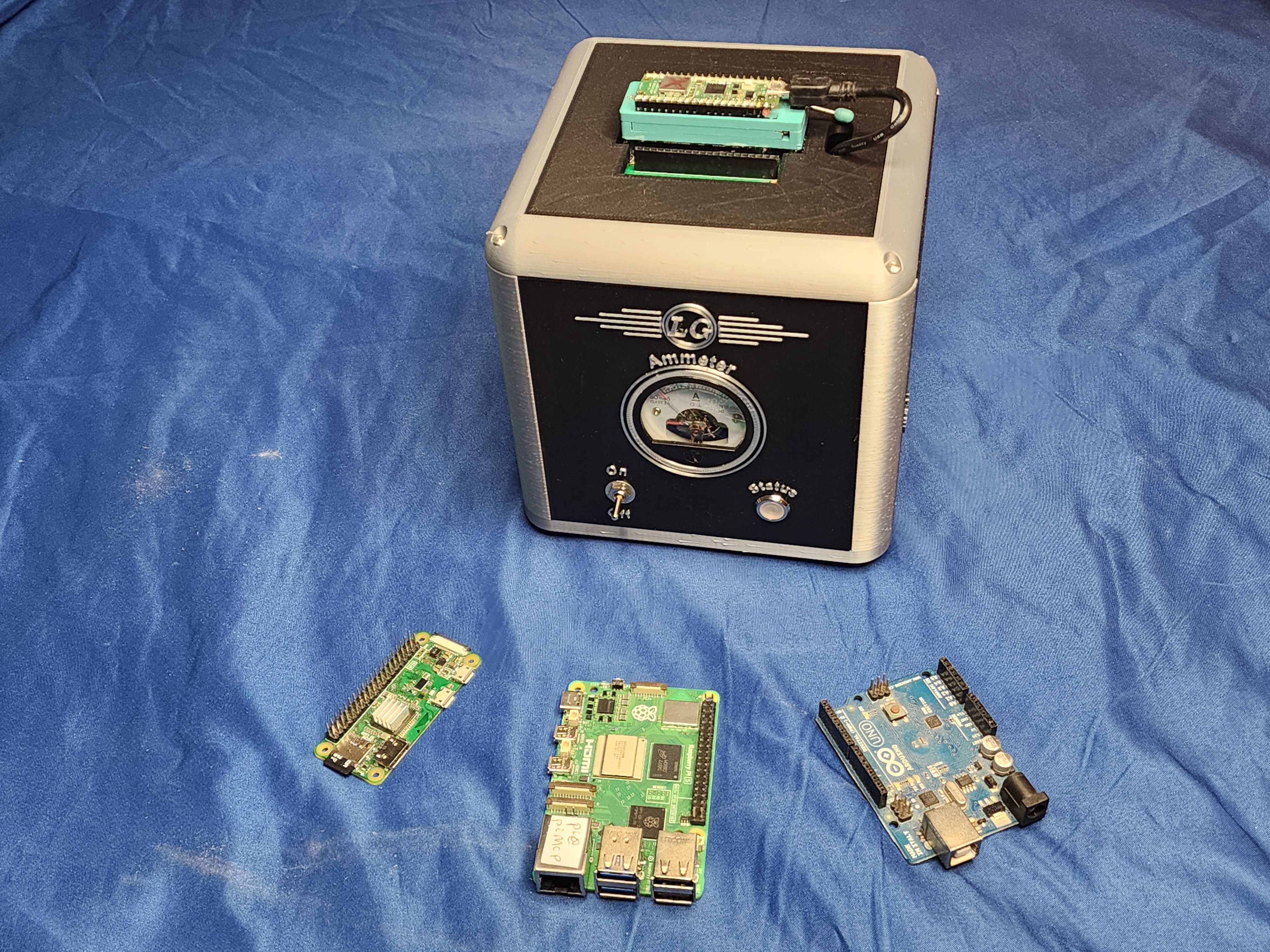
Plynths are available for Raspberry Pi models 3, 4, and 5, Pi Zero, and Pico; for Arduino Uno, Nano, and Giga (and bare ATmega328P); and for NVIDIA Jetson. As new boards arrive, new plynths follow — the base you own stays current.
Exploded-view line drawing: plynth lifting off the base unit, with callouts for the fixture contacts, status light, power switch, and barrel connector.
Health checks, from any browser
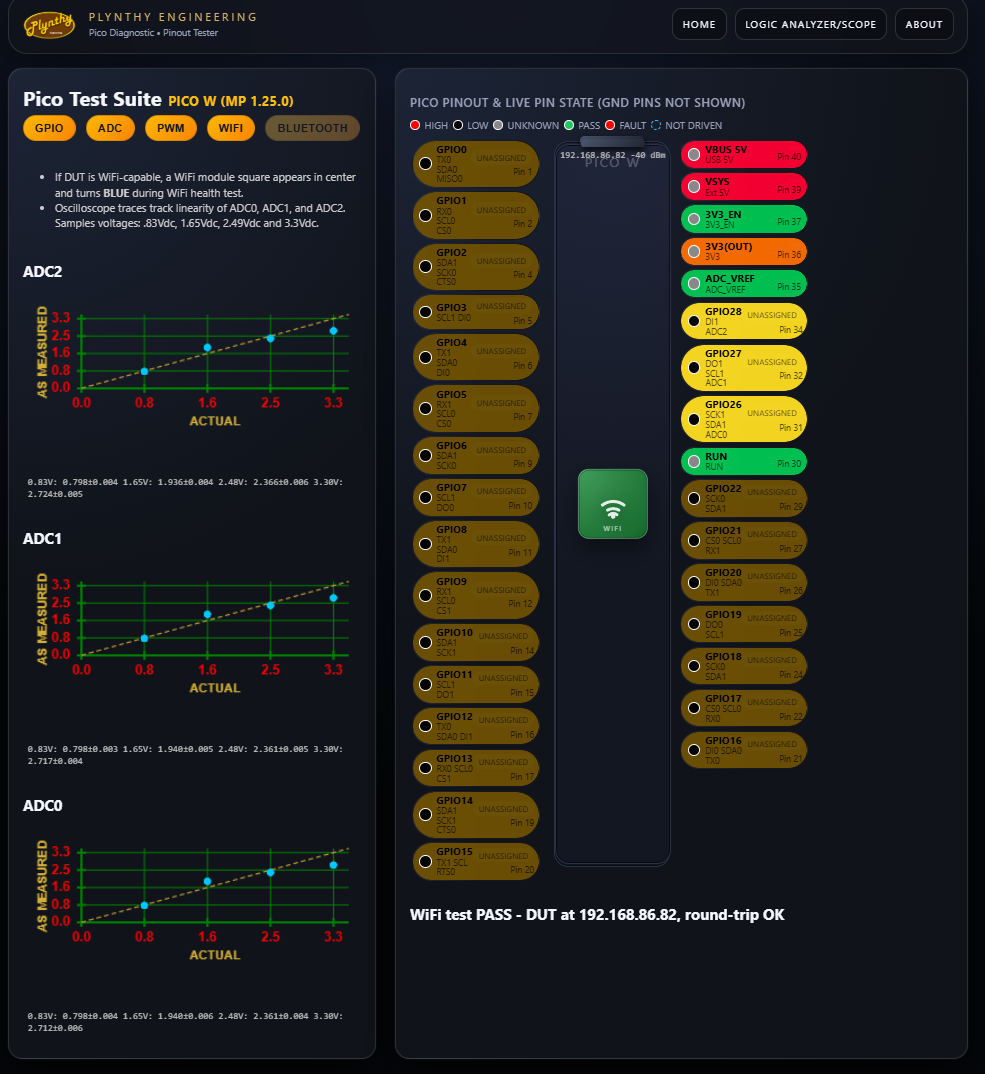
MicroMETER is controlled entirely through a Web browser — nothing to install, no vendor app, works the same from a laptop, tablet, or the shop PC. Select a diagnostic program and MicroMETER exercises the device under test pin by pin, confirming the health of each function of each pin.
The default diagnostic script checks for stuck-high and stuck-low conditions on every GPIO pin, exercises PWM outputs, measures ADC accuracy with standard-deviation statistics, and verifies WiFi and Bluetooth on wireless-equipped boards. Use it as a pass/fail step in the quality-control workflow for products already shipping, or to clear the hardware of suspicion while debugging a prototype that misbehaves.
Open source, all the way down
MicroMETER ships with a library of diagnostic programs, but it doesn’t stop there: the platform is open source and fully documented in the User Guide, and it runs user-supplied scripts. If your product needs a burn-in sequence, a fixture test unique to your board, or a hundred-cycle relay exerciser, you can write it, keep it, and share it.
And when you need an instrument…
Beyond health checks, MicroMETER moonlights as bench instrumentation. A leadless logic analyzer scans up to 26 digital I/O pins at up to 150 MHz — no probe leads, because the plynth already owns every pin. On the analog side, up to 4 inputs display in oscilloscope fashion at frequencies up to 150 MHz. The device-under-test pins are also brought out to female headers, so external devices — a signal generator, your product’s own sensors — can be hooked into the test.
| Function | Capability |
|---|---|
| Pin diagnostics | Stuck-high / stuck-low, PWM, ADC accuracy (with std. deviation), WiFi & Bluetooth |
| Logic analyzer | Up to 26 digital I/O channels, leadless, up to 150 MHz |
| Oscilloscope | Up to 4 analog inputs, up to 150 MHz |
| Supported boards | Raspberry Pi 3 / 4 / 5 / Zero / Pico · Arduino Uno / Nano / Giga · ATmega328P · NVIDIA Jetson |
| Control | Any Web browser — no software install |
| Extensibility | Open source; user-supplied diagnostic scripts; documented in the User Guide |
Refer to the MicroMETER User Guide for full performance details and operating limits.
Want specs, availability, or the User Guide?
Request information →